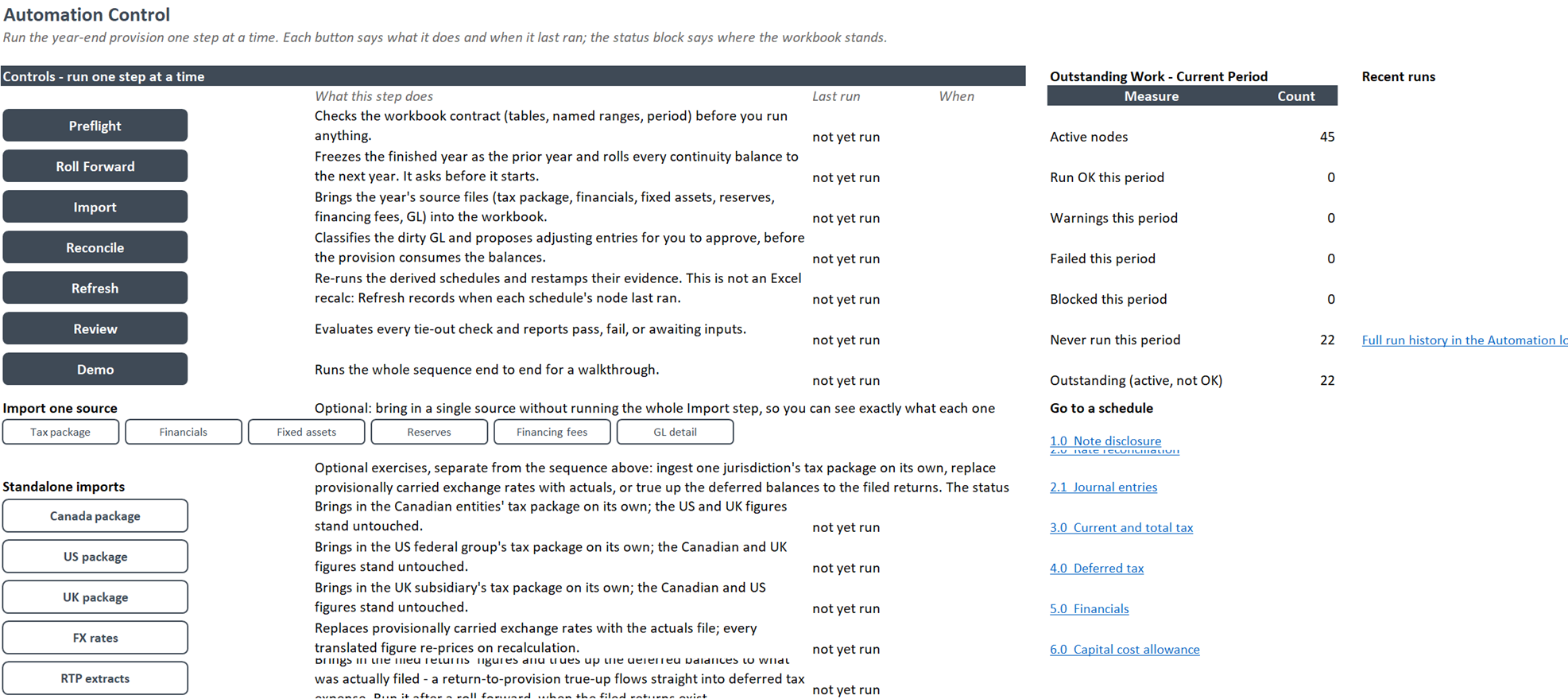
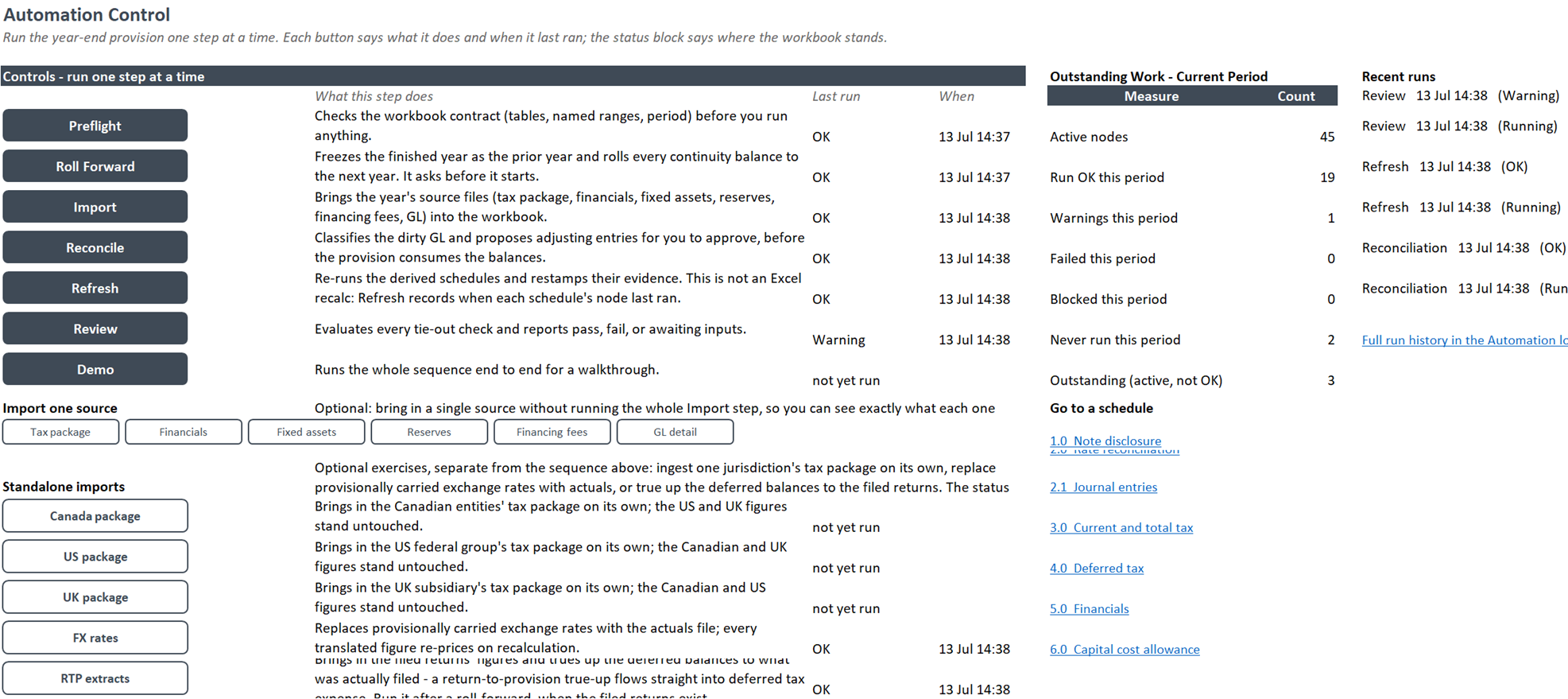
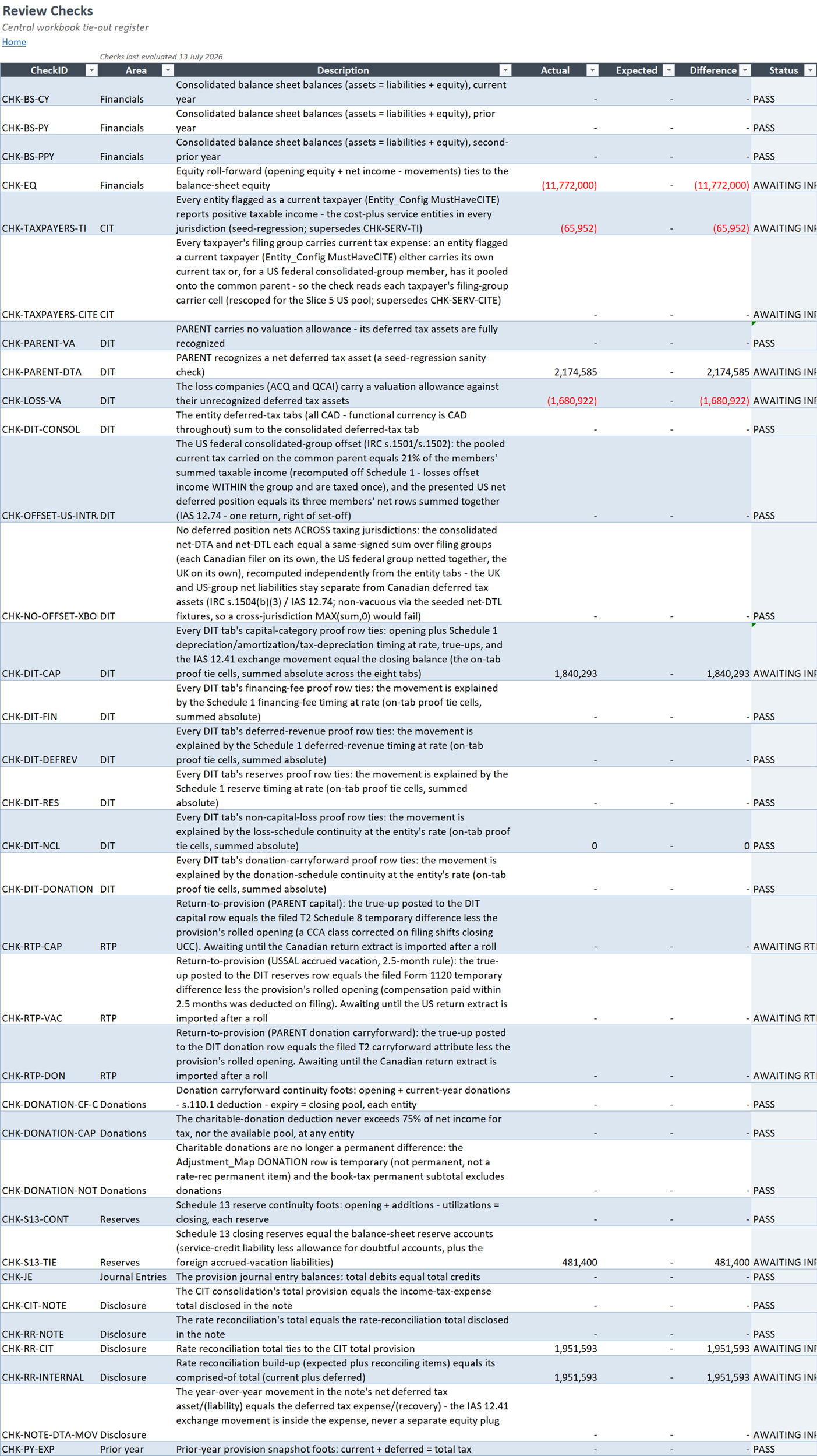
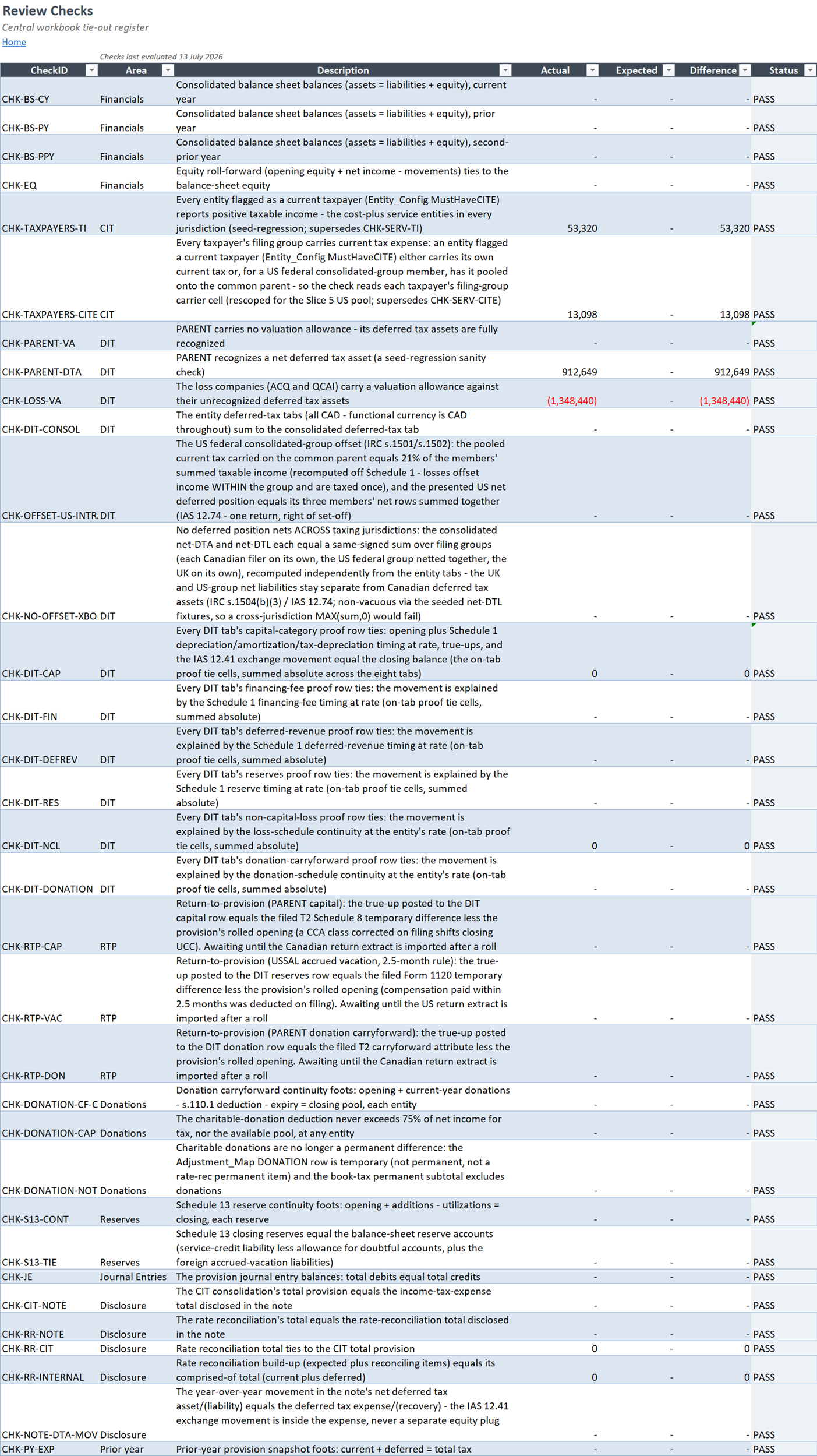
The control board
The control board records which steps ran and when: initial checks, roll-forward, import, reconciliation, refresh, and review, followed by separate exchange-rate and return imports.
Open before capture Open after captureA virtual tour
Follow one year-end provision through its six steps, from receiving the packages to handing the work to your team, with people making the decisions.
Each machine runs one step of the control sheet. Try the small example at each step.
Use Next, or scroll over the floor, to move from step to step. The bar at the bottom shows each step's status as you try the examples.
Step 1 of 6 · Receive packages
Data arrives from the accounting system, finance teams and paper. Most of it has to be transformed before it fits the workbook. Some of it needs a person first.
Three inputs arrive. Two route to machines. A scanned letter routes to a person, who reviews its flagged field before sending the approved record to the line.
Step 2 of 6 · Extract source figures
Figures from a document go into a table, with a link back to their source. Select a number below to see where it came from. Uncertain readings are flagged for review.
A source page and its extracted table. Every row points back to where it came from, and one is flagged for review.
Step 3 of 6 · Roll forward and calculate
Your team keeps working in Excel. Automation handles the repeated steps, such as imports and calculations. Change an input below to see the linked figures update.
In this example, entity income and exchange rates feed the tax calculations and the group total. Changing an input updates the linked figures.
Step 4 of 6 · Review checks
This example recalculates twelve checks from its own source records before the file goes to review. Try changing a figure below. A failed check holds the file and tells you what changed and where to look.
For example, changing Entity Charlie's income from 1,050 to −1,050 creates two failures: its sign no longer matches the source, and the entity balances no longer add up to the reported 8,000. With JavaScript enabled, you can try this and two other errors.
Step 5 of 6 · Record judgment: valuation allowance
The system sets out the evidence and the arithmetic for a valuation allowance, then waits. A reviewer weighs the evidence and chooses, and the file keeps a record of the choice.
One entity, year end 2025. Prepared for review.
| Non-capital loss carryforward | $2,000,000 |
|---|---|
| Expires | 2044 |
| Tax rate | 25% |
| Gross deferred tax asset$2,000,000 × 25% | $500,000 |
| Income (loss), 2023 | ($400,000) |
|---|---|
| Income (loss), 2024 | ($500,000) |
| Income (loss), 2025 | $300,000 |
| Three years combineda cumulative three-year loss | ($600,000) |
| Projected taxable income, 2026 to 2028about $400,000 a year | $1,200,000 |
|---|---|
| Supported by a signed multi-year customer contract. | |
| Realizable at 25%$1,200,000 × 25% | $300,000 |
Three choices, and what each does to the deferred tax asset:
| Choice | Valuation allowance | Net deferred tax asset | Added deferred tax expense |
|---|---|---|---|
| No allowance | $0 | $500,000 | $0 |
| Partial allowance | $200,000 | $300,000 | $200,000 |
| Full allowance | $500,000 | $0 | $500,000 |
The work waits for a person to choose, then records that choice. With JavaScript enabled, you can make the choice here.
Step 6 of 6 · Hand over
We build with your team, then hand over the automation, operating instructions, and checks. Your team learns to run the work, with support while it takes over.
A handoff includes the automation, step-by-step instructions, checks, training, and an agreed plan for support.
Case studies
These case studies and articles show how the approach works in practice. The figures below come from the published SR&ED case study.
There is more to explore: articles, automation examples, and a closer look at the workbook.
Continue the tour →Articles
Practical writing on Excel and automation, alongside ideas about AI and tax operations.
Excel wing
Wall 1
General wing
Wall 1
Automation examples
These illustrations show common ways to connect tasks, inputs, and people. Open an example to read more.
Workbook before and after
Compare seven parts of the workbook before and after a recorded run. These captures are recorded; opening them does not run the workbook.
Captured from a real run of the demo workbook.
Tell me where your team spends time collecting inputs, updating workbooks, or checking the results. We can discuss where automation might help.
The control board records which steps ran and when: initial checks, roll-forward, import, reconciliation, refresh, and review, followed by separate exchange-rate and return imports.
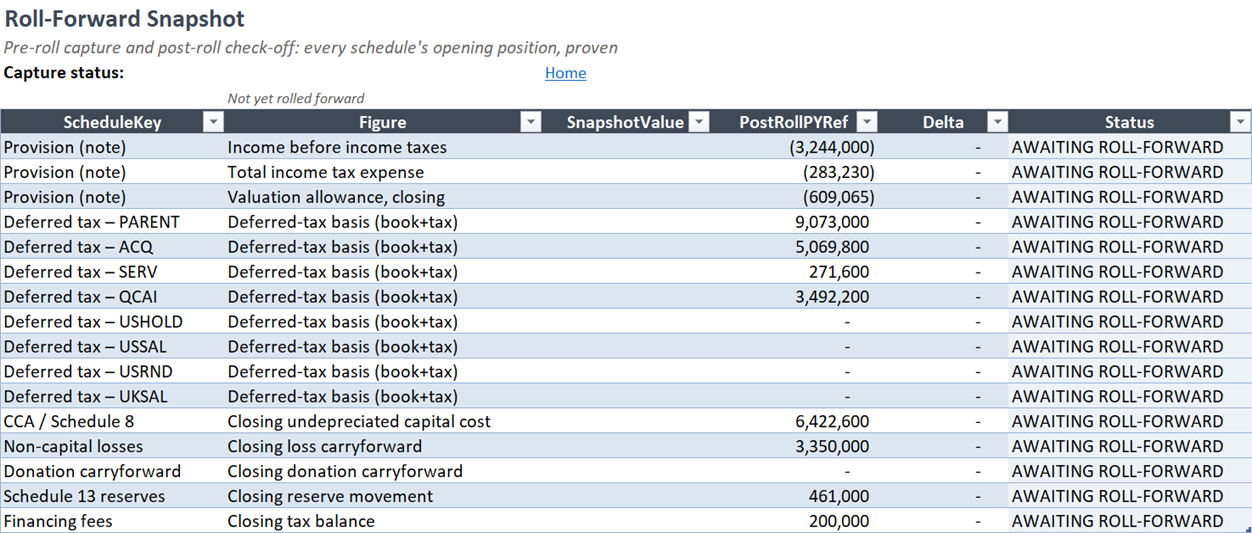
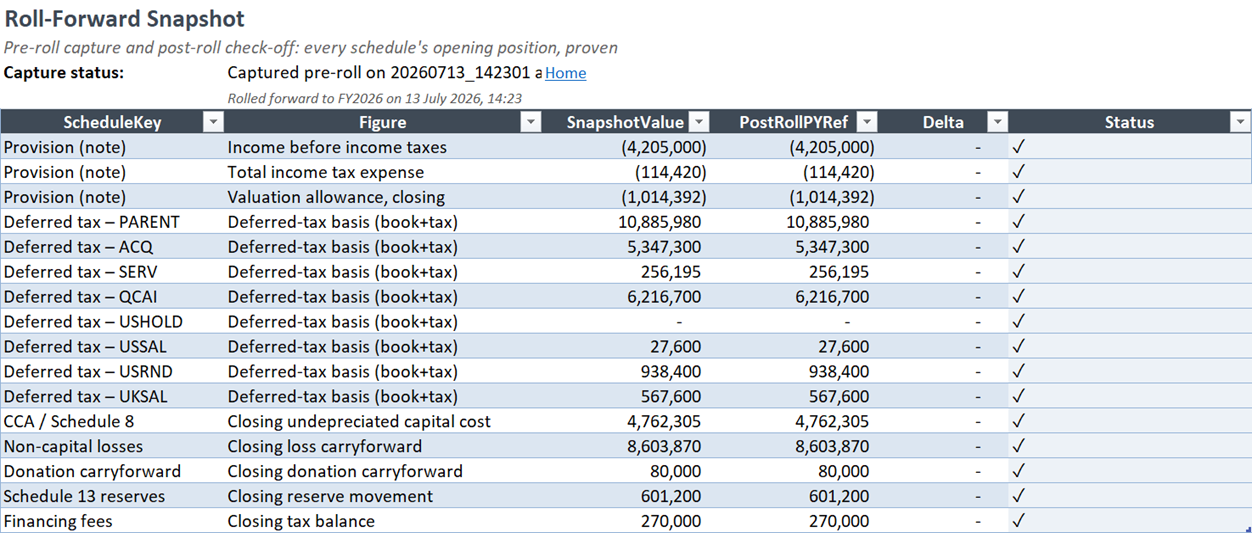
Open before capture Open after captureThe roll-forward saved the completed period, carried the closing balances into the new year, and checked the opening balances against them.
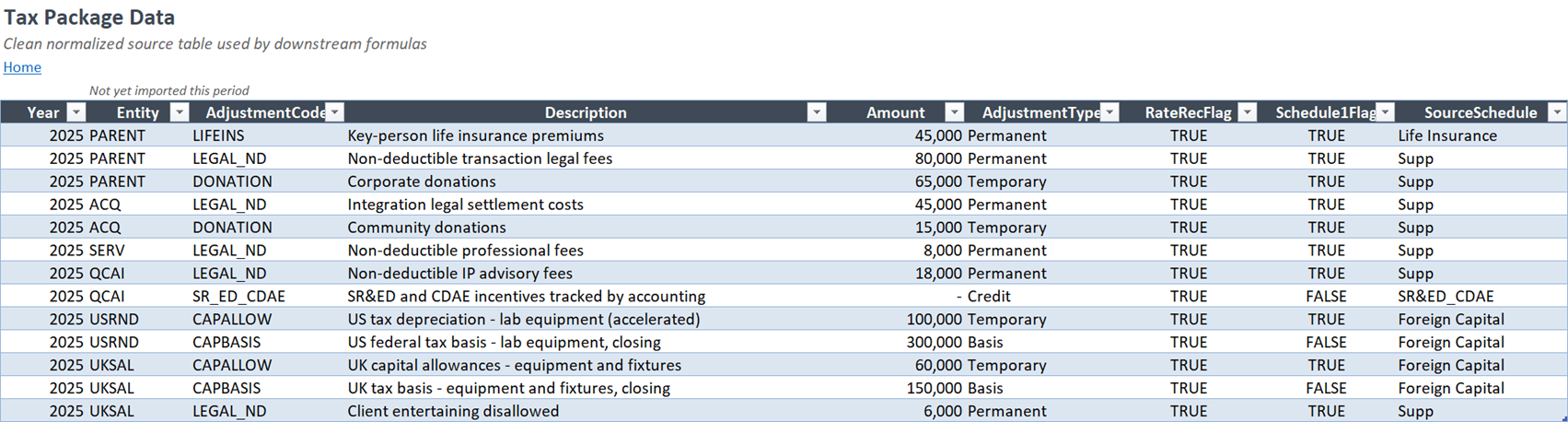
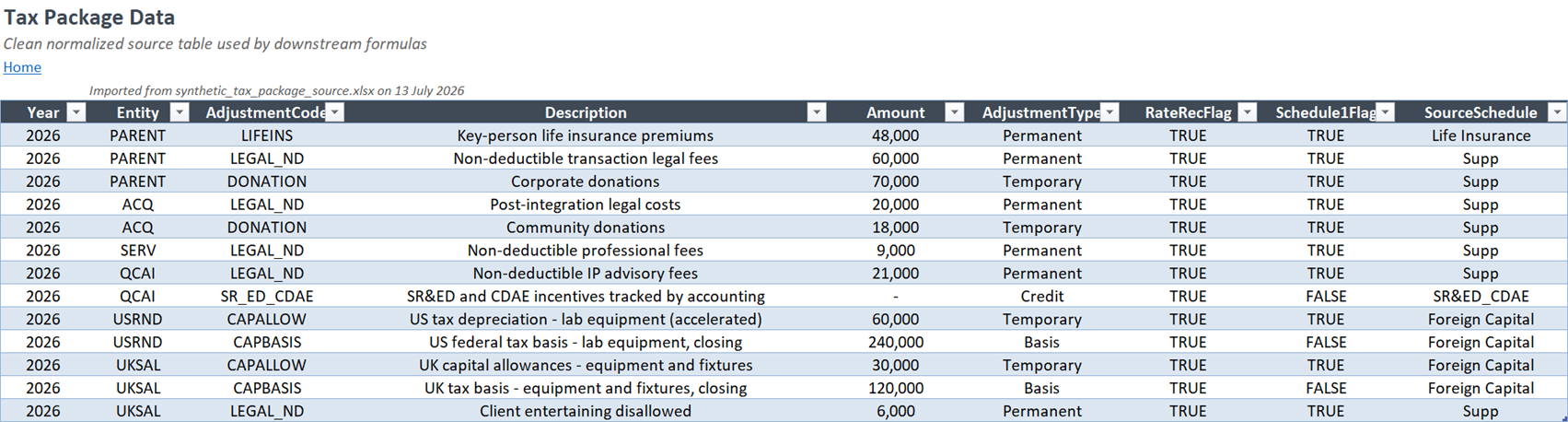
Open before capture Open after captureThe import brought the current-year Canadian, US, and UK tax packages into one table for the eight entities.
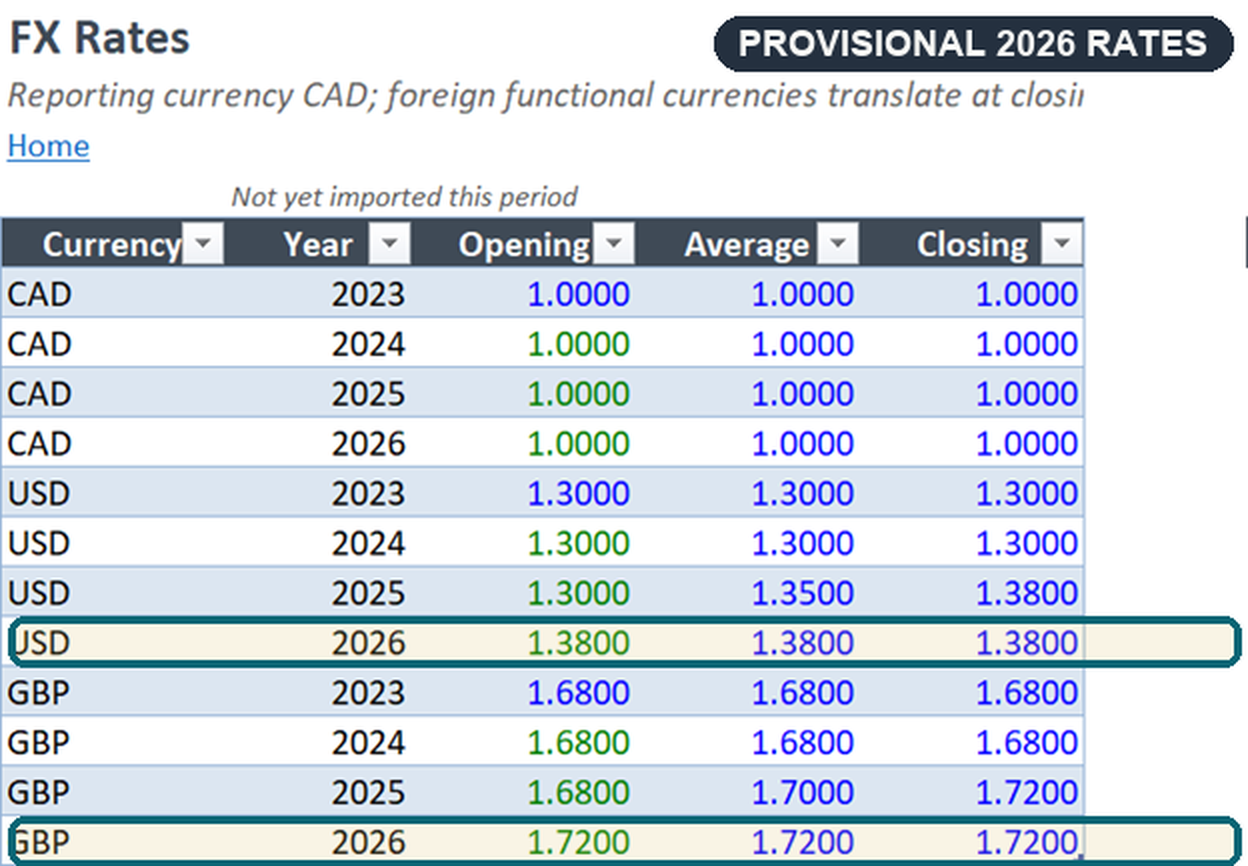
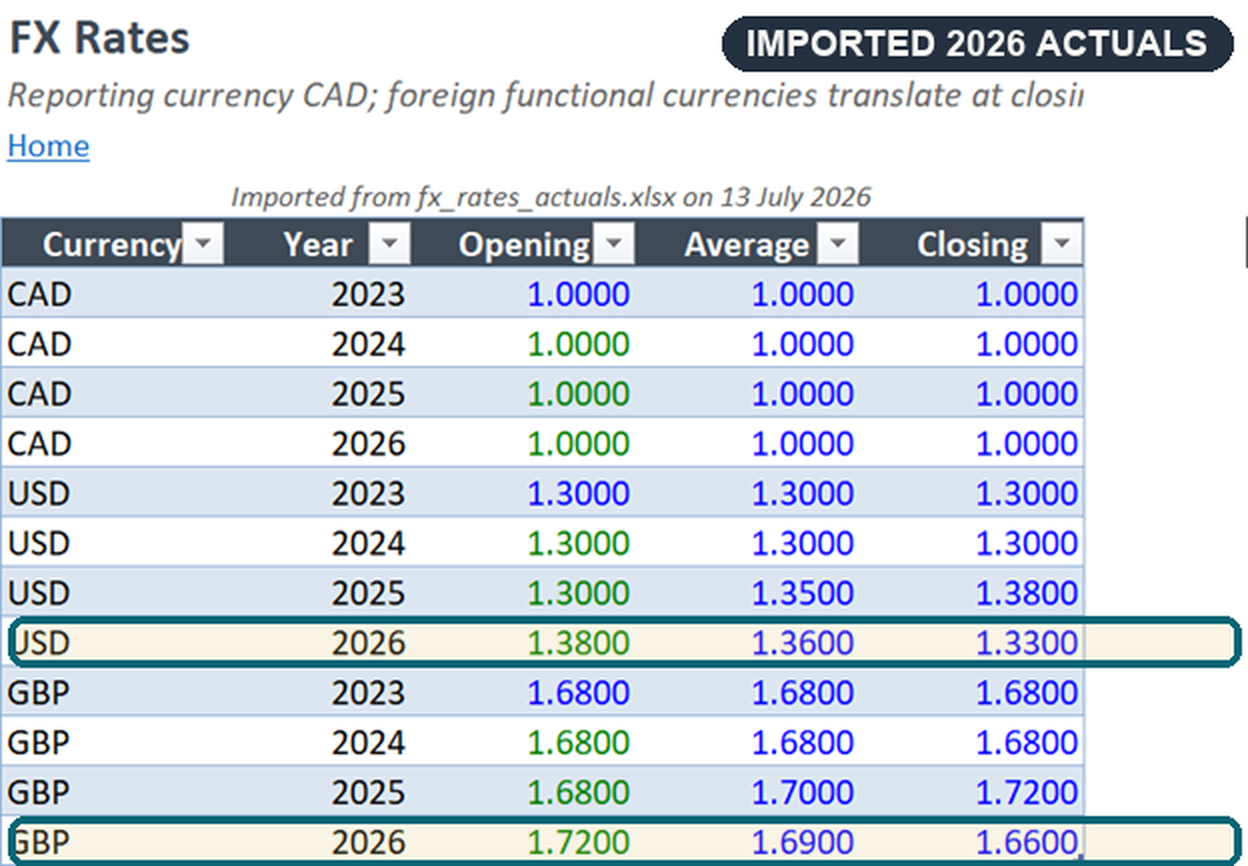
Open before capture Open after captureThe highlighted 2026 rows show the exchange-rate import replacing the carried USD and GBP rates with rates from the current-year file.
Open before capture Open after captureThe return import identifies differences for capital, vacation, and donations after the roll-forward. Those differences feed the deferred tax adjustments.
Open before capture Open after captureReview ran all sixty-five checks after the current-year inputs and return figures were imported. Sixty-two passed; three were waiting for approval.
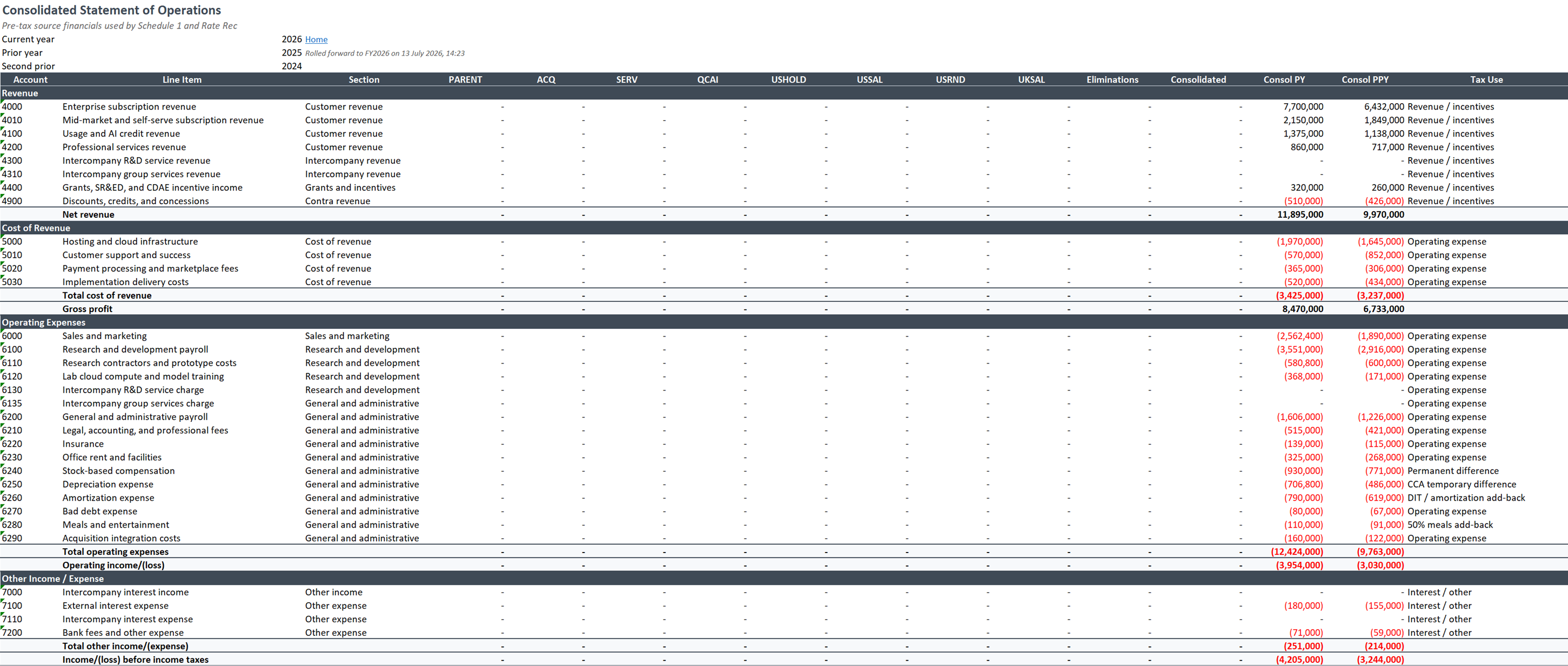
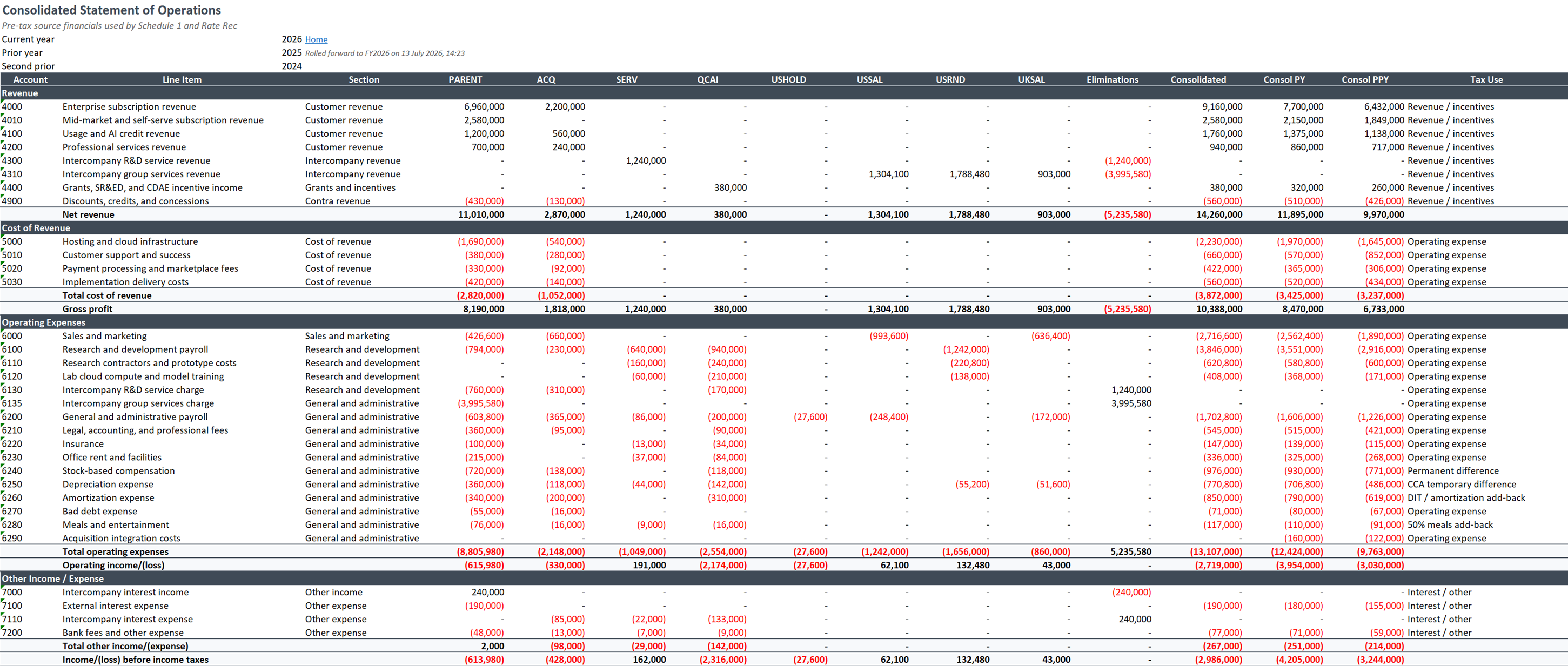
Open before capture Open after captureRefresh updated the eight entity columns, applied eliminations, and rebuilt the consolidated current-year statement.
Open before capture Open after capture